# Account

The account page will include information for that account, including any child accounts.\
**Note:** if you have more than one account, refer to [#switching](https://docs.korewireless.com/console/multiple-accounts#switching "mention") to move between accounts.

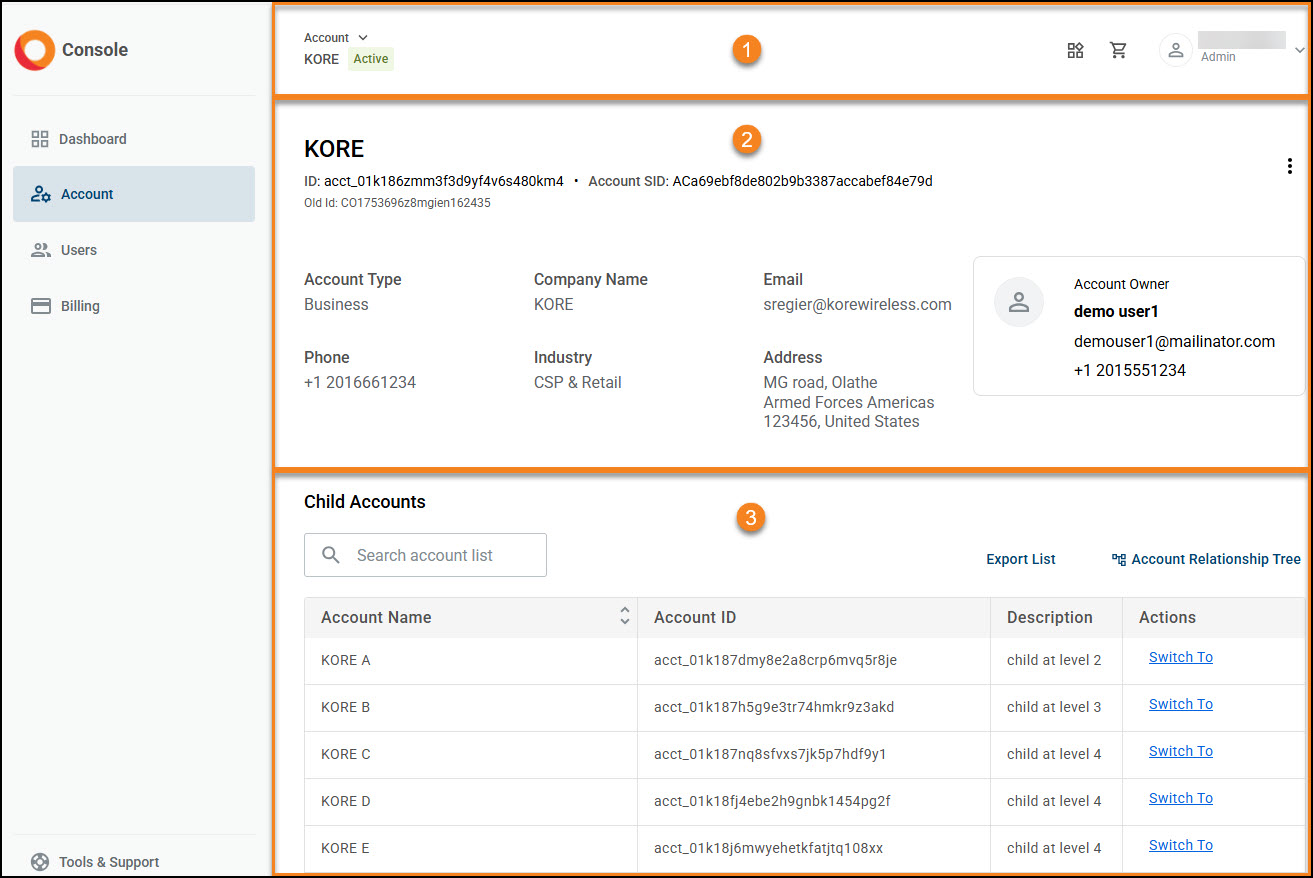
<figure><img src="https://2592305960-files.gitbook.io/~/files/v0/b/gitbook-x-prod.appspot.com/o/spaces%2Fj6QcqCeek2LmISTs9Rfp%2Fuploads%2Fmc5xWgAIqQrrdw3eKmyG%2Faccount%20-%20main%20page.jpg?alt=media&#x26;token=aed3de5c-1020-4e67-88b5-7759205ca69a" alt=""><figcaption></figcaption></figure>

<table><thead><tr><th width="102.333251953125" valign="top">Section</th><th valign="top">Fields and descriptions</th></tr></thead><tbody><tr><td valign="top">1</td><td valign="top">The account name and the person logged in.</td></tr><tr><td valign="top">2</td><td valign="top">Information for the current account, including the owner.</td></tr><tr><td valign="top">3</td><td valign="top">The child accounts associated with that account (section 2), if any. <br><br>The <a data-mention href="../multiple-accounts#relationship-tree">#relationship-tree</a> displays the structure of all accounts associated to the parent account.</td></tr></tbody></table>
